

iXR Labs Content
iXR Labs (iXRLabs) is a virtual-reality lab simulation company founded in 2020 that primarily serves higher education — partnering with universities and colleges (case studies include IIT Delhi, Queen's University Belfast, and the University of Louisville) to deliver a catalogue of “500+ modules” across engineering, medical, and science disciplines. The set supplied to Avantis for this ClassVR STEM subscription is a curated subset — 58 modules already delivered plus 14 more “upcoming/deploying soon,” all mapped to US NGSS High School standards.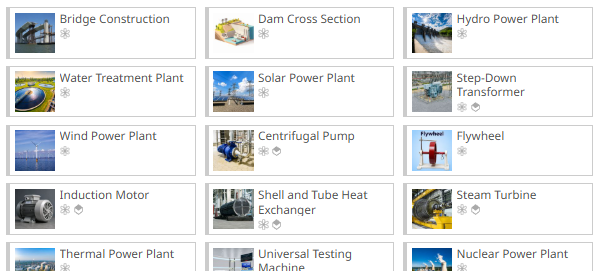
iXR content on ClassVR
| App | Domain(s) covered | Notes |
| Sciences App | Physics, Chemistry, Biology | Currently hosts the majority of modules (46 across delivered + upcoming per the internal tracker). |
| Engineering App | Civil, Electrical, Mechanical engineering | 15 modules across the three engineering sub-domains (3 civil, 6 electrical, 6 mechanical). |
| Medical App | Healthcare / human body systems | 11 modules (e.g. circulatory, digestive, nervous, skeletal, reproductive systems) are listed against this domain. |
In-App Navigation Controls (once launched)
| Action | How it works |
| Move around | Push forward on the thumbstick to activate teleportation; aim at the desired location (a blue circle shows the landing spot); release the thumbstick to move. |
| Grab objects | Hover the virtual hand over an interactive object; press and hold the grab button (under the middle finger) to pick up and position it; release to let go. |
| Press buttons / menus | Reach the virtual hand toward a button or menu option; when close enough the hand automatically changes to a pointing pose; tap the button to select. |
- Index finger (Trigger - at rear) to ‘Select’ or ‘Point’
- Middle Finger (Black side button) to ‘Grab’ and/or ‘Pickup’
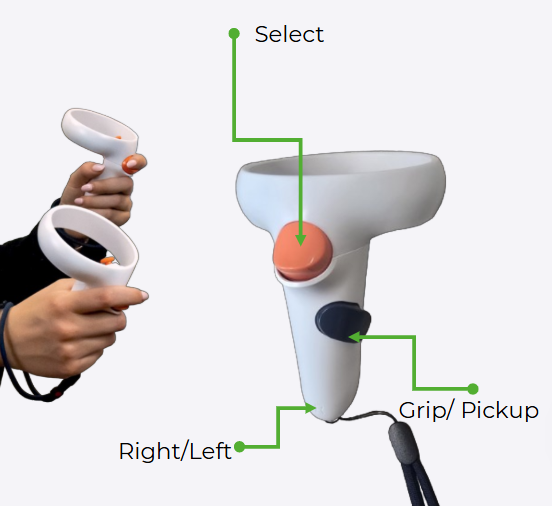
- Push the ‘Thumbstick’ forward to activate ‘teleport’
Launching the tracks
The STEM pack is designed to be a low-friction launch for schools:
- There is no separate account sign-in or activation code needed by the teacher or student to open.
- The tracks are loaded from the relevant section in the portal. Just drag the tracks to the ‘Playlist’ area and send to the ‘connected’ devices via the ‘Plan’ tab.