

Troubleshooting
We currently have no reported issues, please contact our support team if you experience any issues using the Attain STEM content.
Key points.
- Headsets need to cache the content on the initial download and then will operate offline if required.
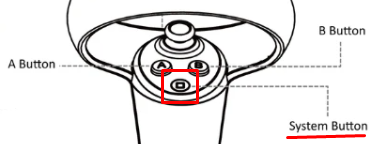
- If the App freezes or becomes inoperable, double click the ‘system’ button and choose ‘Exit’ to restart the scene.
Do teachers or students need to log in, or enter a code, to open Biology Dissections or Molecule Builder?
No. For the ClassVR-hosted STEM pack, all login and licence requirements have been removed — the content is accessible immediately from the ClassVR portal once installed. If a user reports being asked for an access code or token, this does not match the documented ClassVR behaviour for these two apps (that flow belongs to AttainXR's separate Meta Quest / Xennial XR Platform product, Intro to Construction) and should be treated as unexpected/escalated.
How do I change the language?
A language selector is shown at launch, and a deep link lets the language be changed later from within the app without needing to fully relaunch. Changing language updates all on-screen text, UI, and voice-over together.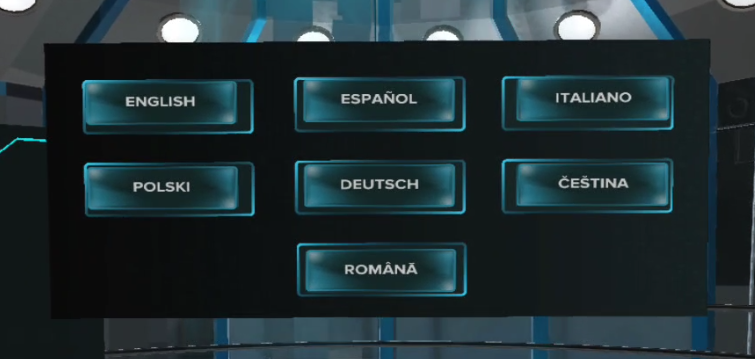
Which languages are actually available right now?
English, Spanish, Italian, Polish, German, Czech and Romanian languages are currently available.
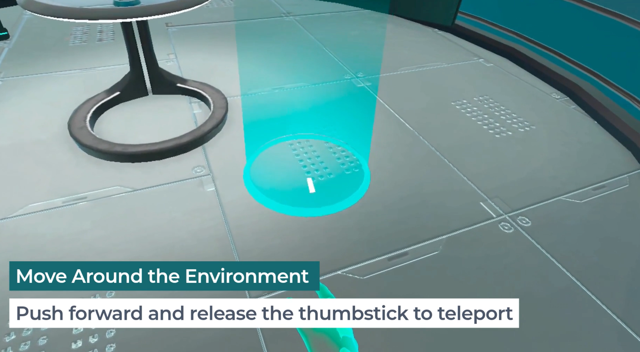
Movement/teleport isn't working — what should you check?
- Push forward on the thumbstick to activate teleport; a blue circle should appear at the target landing spot. Releasing the thumbstick completes the move.
- If no blue circle appears, the student may not be aiming at a valid (walkable) surface — have them re-aim toward the floor within the play area.
 ''''''''''''''\''?"?
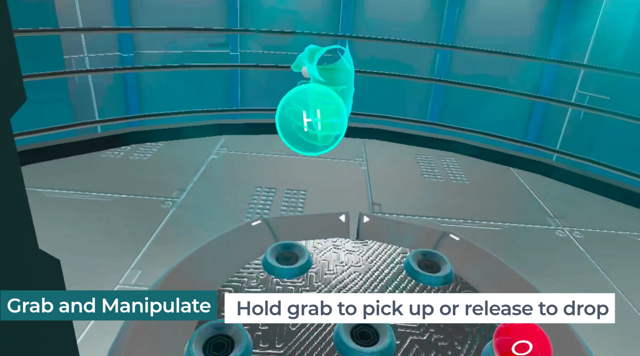
An object won't grab, or keeps dropping — what should you check?
- The virtual hand needs to be hovered directly over the object; in Molecule Builder a coloured outline confirms it's selectable.
- The grab button is under the middle finger on the controller — it must be pressed and held, not tapped, to keep hold of the object.
A button or menu option won't respond to a tap — what should you check?
The virtual hand needs to be brought close enough to the button that it automatically switches to a pointing pose before tapping — if the hand is still in its default pose, the tap won't register.
Is Hand Tracking supported?
Hand Tracking is not supported within any of our STEM content and presently not on any of our devices.
Compatibility
Our Eduverse STEM content is only accessible via the appropriate Eduverse STEM subscription and accessible using our Xcelerate CVR655-128 Headsets.
Accessibility
Once the content has been downloaded to the headset it can be run offline independent of an internet connection.