

Mrs Benz Content
Mrs Benz is a single, short-form cinematic narrative VR experience — not a catalogue of many modules like the other STEM partners reviewed. It is produced by Singer Studios (an Emmy-nominated studio founded by Eloise Singer) and stars Daisy Ridley as Bertha Benz, dramatising Bertha's real 1888 long-distance motorcar journey.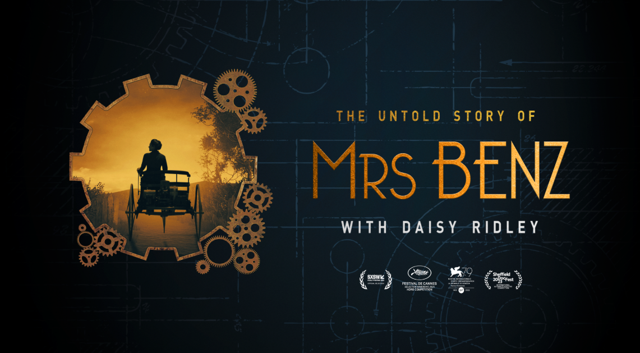
Mrs Benz Origins & Licensing
Singer Studios confirms Mrs Benz is an original immersive experience it produced, including original creative, narrative, visual and audio material, subject to any separately identified third-party licensed materials (performer agreements, music, software licences, platform requirements) to be listed in a final compliance declaration alongside delivery.
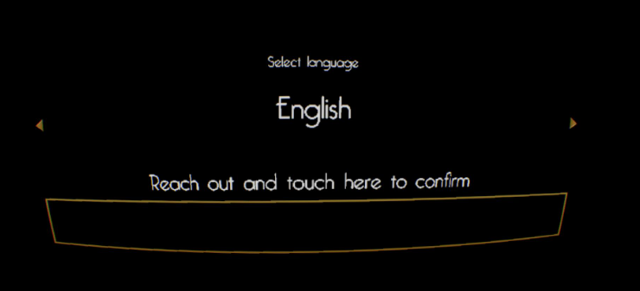
- Subtitle languages to be supported: English, Spanish, Italian, Polish, German, Czech, Romanian — with language selection built into the Application homepage.
Access model
- “Mrs Benz is a single-user VR experience designed for educational use. The experience should be launched directly from the ClassVR environment. No student login or licence key login is required.”
- Language selection happens from the APK homepage — the user selects their preferred supported language before beginning.
- Designed as a standing experience; users should remain aware of their surroundings, and educators should supervise and ensure adequate space.
Educator setup checklist (before the session)
- Ensure the ClassVR Xcelerate headset is fully charged.
- Confirm Mrs Benz VR has been installed and assigned to the relevant headset through the ClassVR platform.
- Check the headset and both controllers are switched on and connected.
- Ensure there is enough clear space around the learner to use the headset safely.
- Adjust the headset straps for comfort/security, and lens spacing for a clear image.
- Use headphones where available, or set headset audio to a comfortable level.
- Press the Calibrate button if needed, to re-centre the learner's position.
- Ask the learner to remain standing within the designated area throughout — Mrs Benz VR is a standing experience.
- Launch Mrs Benz VR from the ClassVR headset menu.
- Give the learner a moment to get comfortable looking around and using the controllers before starting.
Starting the experience
- On launch, a “Touch to Start” prompt appears.
- The learner reaches out with the virtual hand and physically touches the prompt — a controller button must NOT be pressed for this step.
- An audio response confirms the prompt was touched correctly, and the experience begins.
- If it doesn't begin, ask the learner to reach forward and touch the prompt again rather than pressing any button.
Ending a session
- Once the credits finish, help the learner remove the headset carefully.
- Return to the ClassVR menu or close the experience.
- Clean the headset and controllers per the school's hygiene procedures, and place equipment back on charge.