

Known Issues
| Severity | Issue | Details |
| Low | Audio level | Audio needs to be set at a higher level for optimal playback through the ClassVR headset. Increase the playback volume on the headset itself. |
Frequently Asked Questions
A student was told to just press a controller button to start, and nothing happened — why?
The opening “Touch to Start” prompt specifically requires the learner to reach out and physically touch it with the virtual hand — pressing a controller button does not work for this step. If the experience isn't starting, ask the learner to reach forward and touch the prompt again rather than pressing anything. A confirming audio cue plays once it's touched correctly.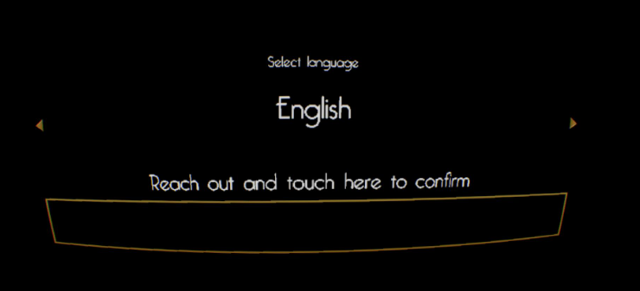
A student doesn't know what to do next mid-experience — what should the educator say?
The experience uses a “glint system” — a blue, sparkling glint appears on whatever object or location the learner needs next (something to pick up, a puzzle piece, a mechanism to operate, the direction to move). If a learner is stuck, the first prompt should always be to look for the blue sparkling glint, not to give the answer directly. Suggested prompts: “Can you see the blue sparkling glint?”, “Has the glint moved to another object?”, “Try teleporting closer to the glint,” “Hold the grip button while you pick up the object.”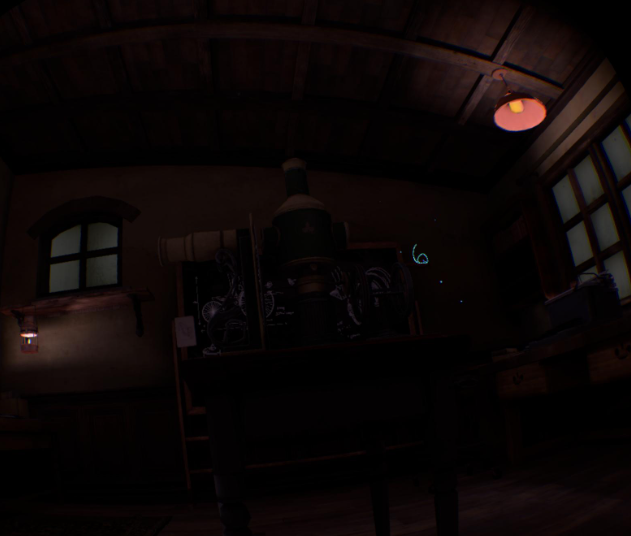
How does movement/interaction work if a student is confused about the controls?
| Action | How it works |
| Teleport | Push the left thumbstick forward to show a teleport arc, aim it, then release to move there. |
| Snap turn | Move the right thumbstick left/right to turn in fixed increments (learners can also physically look around where safe). |
| Grab / interact | Hold either grip button to grasp and interact with an object; keep holding while moving/using it; release to let go or place it. |
Does the experience need a student login or licence code?
No. Mrs Benz is a single-user experience launched directly from the ClassVR environment — no student login or licence key login is required. A language selector appears on the APK homepage; the user should pick their preferred language before starting.
A student says the audio is too quiet — what should they do?
The fix is to increase the playback volume on the ClassVR headset itself using the volume buttons on the bottom of the headset.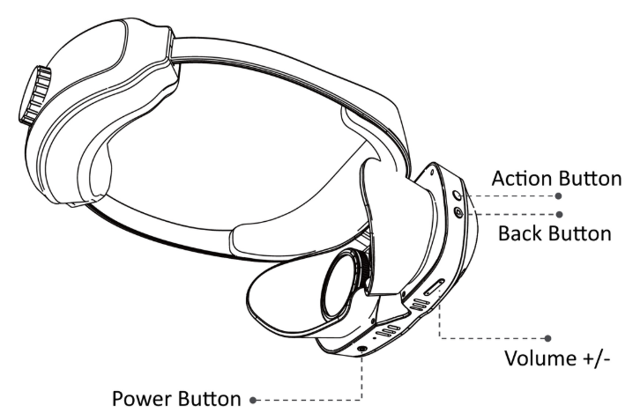
Can teachers create their own promotional materials or use Daisy Ridley's image for the school newsletter?
Not without prior written approval from Singer Studios. This applies to any new Daisy Ridley-focused marketing, artwork, imagery, interview material, behind-the-scenes footage, AI-generated likeness, or endorsement-style material — see the companion launch document's licensing section for the full restriction.