

Proteus Labs content
Proteus Labs is a third-party mixed-reality (AR/VR) science lab platform, it provides interactive, hands-on virtual science experiments — chemistry, physics, biology, and electricity — aimed at elementary and high school education (ages 6–18), as well as colleges, universities, remote education, and professional development.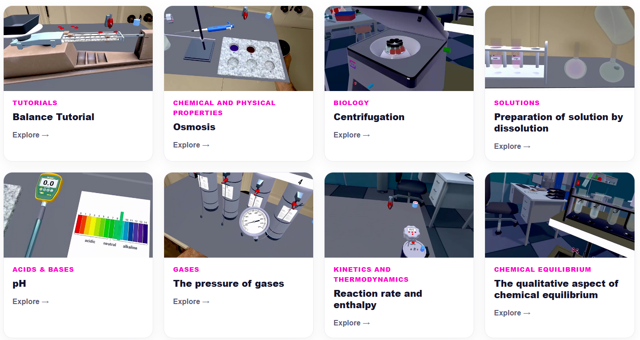
Launching an activity
- Sessions are started by the teacher sending and playing content on the headsets or by the students manually launching content directly via the icons on the homepage
Setting up the lab bench and tablet
- On entering a lab, a blue sphere appears in front of the user — grab it to reposition the virtual lab bench at a comfortable height/location. It can be recalled at any time via the right thumb stick click.
- The virtual tablet (used for the experiment protocol, results, and lab journal) can be repositioned by grabbing the stick at its base.
- Rotating buttons exist on some devices in the simulation itself (hotplate, microscope, power supply, incubator) — grab and rotate the controller/hand to adjust them.
Controls
| Action | Control |
| Grip / grab an object | Hand (grip) trigger |
| Special action (context-sensitive — e.g. push/pull a syringe, use a pipette, open tongs) | Index trigger |
| Open device/system menu | Menu Button (left controller) — one push |
| Recentre position in space | Hold the ClassVR Button (right controller) |
| Alternate action (e.g. switch a syringe between push/pull) | A (right) or X (left) button |
| Scroll the virtual tablet | Hands directly on tablet, or right thumb stick up/down |
| Reposition the lab bench | Click right thumb stick to summon the blue sphere, then grab it |
| Navigate within the lab (not generally recommended — can cause motion sickness) | Left thumb stick to move (XY plane), right thumb stick to rotate |
Tricky instruments — special handling
- Spatulas, tweezers, ice tongs, lighter, wash bottle: use the Special Action command to open/close, ignite, or squeeze.
- Lab stand and clamps: attach clamps to the stand to build a montage; click the red arrow at the top to rotate empty clamps into position.
- Syringe: with hand tracking, grab with one hand and use the other hand's finger on the up/down arrow to pull or push; with controllers, use the Special Action command and press X (left) or A (right) to alternate between push and pull.
- Stirring/shaking liquids: use the glass stirrer, shake capped containers, or use a magnetic agitator with the hotplate. Test tubes and Erlenmeyer flasks require caps before shaking.
- Pipette/dropper: use the Special Action command; liquid flows in increments of 0.05 mL (dropper) or 1 mL (pipette).
- Burette: fill with water via Special Action while pinching index/thumb, then plunge upside down into a water container; once secured with clamps, release.
- Lab protection (gloves, protective glasses, lab coat): put on or remove by grabbing the item itself or its empty storage location.
Launching the tracks
The STEM pack is designed to be a low-friction launch for schools:
- There is no separate account sign-in or activation code needed by the teacher or student to open.
- The tracks are loaded from the relevant section in the portal. Just drag the tracks to the ‘Playlist’ area and send to the ‘connected’ devices via the ‘Plan’ tab.